Feature spec
Goal: Send a clear invoice after finishing a job.
- Add a client, line items, a due date, and payment instructions.
- Preview the total before exporting a PDF.
- Keep an editable draft if export fails.
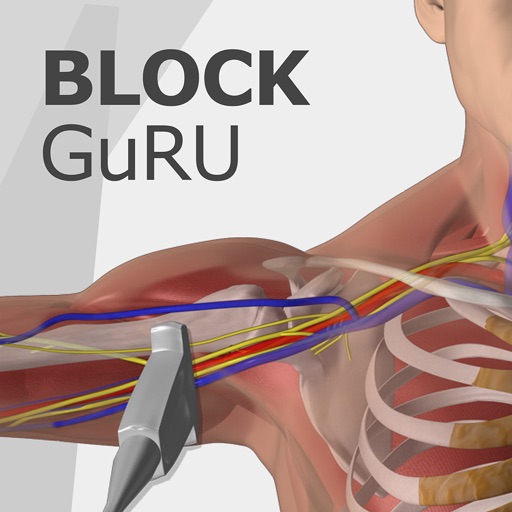
guru is an offline* teaching app covering single shot and continuous peripheral nerve blocks
$6.99 · In-app purchases
Evidence scope: No current overall US chart position is available. Category-chart positions shown in discovery are a separate scope. Revenue is a directional model estimate, not verified earnings.
A product spec, screen plans, and build steps for your coding agent.
First kit free with a verified email
Combine features and design from your favorite apps.
Kit ready. Verify your email to download it.
Generating… usually about a minute.
What should your app do differently? Your note travels with the kit so your coding agent builds around your idea.
A product spec, phased build plan, differentiation notes, and screen references.
Illustrative example: an invoice app for independent contractors. Your kit is tailored to the app you choose; this is not its generated content.
Goal: Send a clear invoice after finishing a job.
Invoice editor: Client at the top, editable line items in the middle, total and preview action at the bottom.
States: Empty draft, validation errors beside each field, exporting, and a retry action that preserves the draft.
Hypothesis: Contractors need faster repeat invoices more than more templates.
First experiment: Test duplicating a previous job with five contractors. Watch where they hesitate before expanding the feature set.
The full kit adds a phased build plan, evidence notes, tool prompts, and implementation guidance. It is a plan for your coding agent, not a finished app.
Usage: Mechanics are fair game; never reuse the original name, branding, assets, or verbatim copy.
JavaScript is required to complete mailbox verification.
Good fit for mobile-first iOS and Android prototypes with managed app scaffolding.
Rork plan preview for Block GuRU Lite: map the core Medical workflow, choose the smallest differentiated feature set, define the data and monetization boundaries, then prototype the riskiest user journey first.
Preview ready. Verify your email to reveal and copy the full prompt.
JavaScript is required to complete mailbox verification. Return to this prompt preview.
Affiliate link: CloneChart may earn a commission at no extra cost
Original App Store material. Ratings and screenshots describe the existing app, not proof of demand for your version.
guru is an offline* teaching app covering single shot and continuous peripheral nerve blocks. the videos and information are all accessed from within the app with no connection to the internet required. (*internet access is required for links accessed from within the app and tertiary video content.) a unique system that combines live sonoanatomy via ultrasound scans, 3d animated anatomy and real time video of the performance of regional anaesthetic nerve blocks. all elements are combined and synchronised with audible narration. * full length offline demonstrations of many regional anaesthetic techniques. * insertion of a pajunk e-cath (cpnb) * a video guide to the pajunk e-cath, including setting up of the system, insertion and fixation. * 3d animated anatomical models, interlinked with live ultrasound scans. * synchronised (us and camera) nerve mapping scans. * visualise a whole block from start to finish. * clear narration during the procedure. * a source of tips and advice which we wished had been around when we started using ultrasound. * easy accessed tabs for anatomy, procedure and tips. * stunning full screen diagrams. * annotated ultrasound screen shots. * fantastic for the novice or experienced anaesthesia provider. * learning tool for odp’s, oda’s, anaesthetic nurses, pa(a)’s, aa’s, crna’s and all staff working within regional anaesthesia. * medical students can gain a better insight into regional anaesthesia. a tab system gives the user access to anatomy, procedure, tips and equipment. the anatomy tab gives an overview of anatomy related to the specific block, it includes schematic diagram’s which can be expanded to full screen. the procedures tab is a full pictorial and text guide to the performance of the specific block, including annotated ultrasound screen captures to help visualise nerves. the tips tab contains useful advice related to the selected block, also included is advice on the use of ultrasound and local anaesthetics. a must have app for both junior and senior anaesthetic staff as well as practitioners working within regional anaesthesia. the blocks are: interscalene & mapping supraclavicular & mapping infraclavicular axillary x 2 & mapping radial nerve & mapping median nerve & mapping ulnar nerve & mapping tap femoral nerve & cpnb saphenous nerve popliteal sciatic pecs1 pecs2 pecs1 and 2 combined serratus anterior dedicated nerve mapping videos now make orientating yourself with anatomy even easier. using demonstrator video interlinked with annotated live ultrasound scanning can help you to locate and track nerves and other relevant anatomy. (the nerve mapping videos will be available as online content to cut down on the size of the app, an internet connection will be required to access these.)more blocks will be added to this app, contact us to let us know what you would like to see in future updates. www.raguru.com this app is exactly what it says it is - it’s a guide. it doesn’t set out to replace a standard text book. it certainly isn’t a substitute for a sound knowledge of anatomy and local anaesthetic pharmacology. it’s more of a guide to the occasional blocker, a refresher to the more experienced, and a teaching aid to the trainer. we are a busy hospital with a heavy teaching commitment. therefore we choose to use nerve stimulation in conjunction with ultrasound as we feel it adds another layer of safety to the patient, and reassurance to the operator.
Written user reviews are not shown here. Check current App Store reviews >
These are generated suggestions, not verified review quotations. Check current App Store reviews and speak with users before treating a possible gap as a requirement.
Hypothesis 1
Assumption to check: Limited features and functionalities compared to competitors.
Validate with people who use this workflow before building.
Hypothesis 2
Assumption to check: Low user rating indicates potential usability issues.
Validate with people who use this workflow before building.
Hypothesis 3
Assumption to check: In-app purchases can be confusing for users.
Validate with people who use this workflow before building.
Hypothesis 4
Assumption to check: Lack of detailed usage instructions.
Validate with people who use this workflow before building.
Plan a focused first version with your coding agent. These are planning assumptions, not a delivery guarantee.
Choose one audience and one core workflow. Use the kit to agree on its screens, data, and acceptance criteria before building.
Decide which secondary features, integrations, and platform support can wait. Your version does not need to reproduce everything in the original.
Validate external services, specialist technology, data access, and ongoing costs for your chosen scope.
From the Build Kit assessment.
A reliable timeline needs an agreed scope and a technical check. Ask your agent to estimate the phases in BUILD_PLAN.md after that review.


