Feature spec
Goal: Send a clear invoice after finishing a job.
- Add a client, line items, a due date, and payment instructions.
- Preview the total before exporting a PDF.
- Keep an editable draft if export fails.
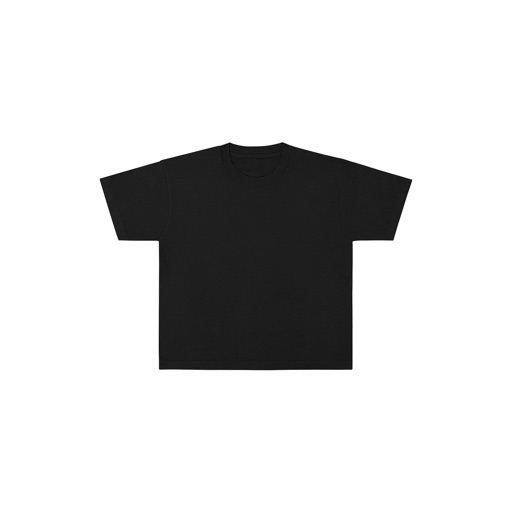
Mockline is the fastest way to create professional clothing mockups directly on your iPhone, no desktop software, no complicated tools, no waiting.
$4.99 · In-app purchases
Evidence scope: No current overall US chart position is available. Category-chart positions shown in discovery are a separate scope. Revenue is a directional model estimate, not verified earnings.
A product spec, screen plans, and build steps for your coding agent.
First kit free with a verified email
Combine features and design from your favorite apps.
Kit ready. Verify your email to download it.
Generating… usually about a minute.
What should your app do differently? Your note travels with the kit so your coding agent builds around your idea.
A product spec, phased build plan, differentiation notes, and screen references.
Illustrative example: an invoice app for independent contractors. Your kit is tailored to the app you choose; this is not its generated content.
Goal: Send a clear invoice after finishing a job.
Invoice editor: Client at the top, editable line items in the middle, total and preview action at the bottom.
States: Empty draft, validation errors beside each field, exporting, and a retry action that preserves the draft.
Hypothesis: Contractors need faster repeat invoices more than more templates.
First experiment: Test duplicating a previous job with five contractors. Watch where they hesitate before expanding the feature set.
The full kit adds a phased build plan, evidence notes, tool prompts, and implementation guidance. It is a plan for your coding agent, not a finished app.
Usage: Mechanics are fair game; never reuse the original name, branding, assets, or verbatim copy.
JavaScript is required to complete mailbox verification.
Good fit for mobile-first iOS and Android prototypes with managed app scaffolding.
Rork plan preview for Mockline: map the core Graphics & Design workflow, choose the smallest differentiated feature set, define the data and monetization boundaries, then prototype the riskiest user journey first.
Preview ready. Verify your email to reveal and copy the full prompt.
JavaScript is required to complete mailbox verification. Return to this prompt preview.
Affiliate link: CloneChart may earn a commission at no extra cost
These are generated suggestions, not verified review quotations. Check current App Store reviews and speak with users before treating a possible gap as a requirement.
Hypothesis 1
Assumption to check: Limited customization options for templates
Validate with people who use this workflow before building.
Hypothesis 2
Assumption to check: Slow rendering for complex designs
Validate with people who use this workflow before building.
Hypothesis 3
Assumption to check: Lack of collaboration features
Validate with people who use this workflow before building.
Hypothesis 4
Assumption to check: No built-in tutorial or help guide
Validate with people who use this workflow before building.
Original App Store material. Ratings and screenshots describe the existing app, not proof of demand for your version.
Mockline is the fastest way to create professional clothing mockups directly on your iPhone, no desktop software, no complicated tools, no waiting. As a Creative Admin. I always found myself with stacks of loose artwork or mocks in my text messages and camera roll, rushing back to my computer to simply bounce out a quick line sheet or mock. So I created this simple, bare-bones mock-up and linesheet tool I could use while I'm in line at the store or pumping gas. I have found it very helpful and decided to share it in the App Store. FINALLY, INSTANT PRODUCT GRIDS, AND NO F****** PINCH TO SCALE! @MOCK_LINE on X for feedback, and send your blank product images so I can add them to the catalog! I'll be pushing new updates with more blanks frequently, so be on the lookout for updates. UPLOAD YOUR ARTWORK Bring in your designs from anywhere. Import directly from your Photos library, or connect to Files, Dropbox, Google Drive and iCloud to pull in artwork from wherever you store it. Mockline supports PNG, JPG, WEBP and HEIC formats. PLACE IT PERFECTLY Drag your artwork directly on the canvas to position it exactly where you want it. Use the Size slider to scale up or down, and the Opacity slider to dial in the right print density. Choose from Normal, Multiply, Screen and Overlay blend modes to achieve realistic print effects on any garment colour. A FULL GARMENT LIBRARY Mockline comes with a growing library of high quality blank garments to mock your designs on: - T-Shirts — White and Black, Front and Back - Hoodies — Grey and Black, Front and Back - Crewneck Sweatshirts — Grey and Black, Front and Back - Long Sleeve Tees — White and Black - Sweatpants — Grey and Black, Front and Back - Jackets — White and Black, Front and Back - Hats — Black and White - Tote Bags — Natural and Black - Blank Canvas — a clean white canvas for custom compositions COLOUR YOUR GARMENTS Not seeing the colourway you need? Use the built in colour picker to tint any garment to any colour. Adjust the intensity slider to get the exact shade you're after — from a subtle wash to a full solid colour. EXPORT IN ANY FORMAT When your mockup is ready, export it in the format that works for you: - Square 1:1 for Instagram Feed - Portrait 4:5 for Portrait Feed - Story 9:16 for Instagram Stories and TikTok All exports are saved at 1080px resolution directly to your Camera Roll, ready to post, send or present. CREATE LINESHEETS IN ONE TAP Building a collection? Select multiple mockups from your home screen and generate a clean linesheet grid in seconds. Export your entire range as a single image — perfect for wholesale buyers, brand decks, lookbooks and pitch presentations. ORGANISE YOUR PROJECTS Keep your mockups organised with a clean project grid on your home screen. Rename projects, drag to reorder, and select multiple to build linesheets. Every project saves your artwork placement, garment choice, blend mode and colour settings so you can come back and edit at any time. MOCKLINE PRO Unlock the full Mockline experience with a Pro subscription: - Access all premium blanks including hoodies, crewnecks, jackets, sweatpants, hats, totes and blank canvas - Unlimited watermark-free exports - Full garment colour tinting - Priority access to new blanks and features as they launch $4.99 per month or $29.99 per year — cancel any time. Payment will be charged to your Apple ID account at confirmation of purchase. Subscriptions automatically renew unless cancelled at least 24 hours before the end of the current period. You can manage and cancel your subscription in your App Store account settings. Mockline is built for creators who move fast. No bloated feature sets, no steep learning curves — just a clean, focused tool that helps you make great mockups and get back to building your brand. Terms of Use: https://www.apple.com/legal/internet-services/itunes/dev/stdeula/
Written user reviews are not shown here. Check current App Store reviews >
Plan a focused first version with your coding agent. These are planning assumptions, not a delivery guarantee.
Choose one audience and one core workflow. Use the kit to agree on its screens, data, and acceptance criteria before building.
Decide which secondary features, integrations, and platform support can wait. Your version does not need to reproduce everything in the original.
Validate external services, specialist technology, data access, and ongoing costs for your chosen scope.
From the Build Kit assessment.
A reliable timeline needs an agreed scope and a technical check. Ask your agent to estimate the phases in BUILD_PLAN.md after that review.


