Feature spec
Goal: Send a clear invoice after finishing a job.
- Add a client, line items, a due date, and payment instructions.
- Preview the total before exporting a PDF.
- Keep an editable draft if export fails.
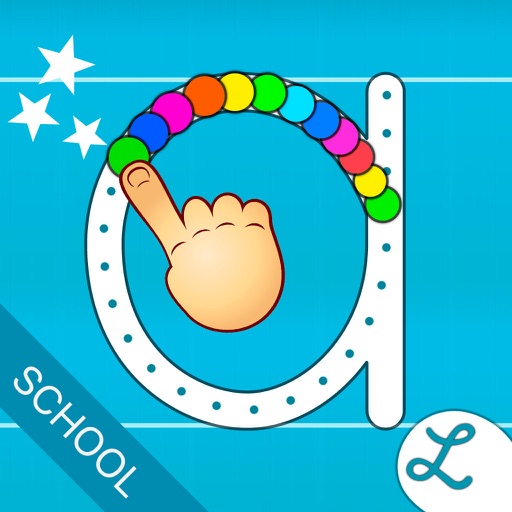
"Fantastic, customizable tracing practice with fun rewards." 5 Stars - Common Sense Media
$12.99 · In-app purchases
Evidence scope: No current overall US chart position is available. Category-chart positions shown in discovery are a separate scope. Revenue is a directional model estimate, not verified earnings.
A product spec, screen plans, and build steps for your coding agent.
First kit free with a verified email
Combine features and design from your favorite apps.
Kit ready. Verify your email to download it.
Generating… usually about a minute.
What should your app do differently? Your note travels with the kit so your coding agent builds around your idea.
A product spec, phased build plan, differentiation notes, and screen references.
Illustrative example: an invoice app for independent contractors. Your kit is tailored to the app you choose; this is not its generated content.
Goal: Send a clear invoice after finishing a job.
Invoice editor: Client at the top, editable line items in the middle, total and preview action at the bottom.
States: Empty draft, validation errors beside each field, exporting, and a retry action that preserves the draft.
Hypothesis: Contractors need faster repeat invoices more than more templates.
First experiment: Test duplicating a previous job with five contractors. Watch where they hesitate before expanding the feature set.
The full kit adds a phased build plan, evidence notes, tool prompts, and implementation guidance. It is a plan for your coding agent, not a finished app.
Usage: Mechanics are fair game; never reuse the original name, branding, assets, or verbatim copy.
JavaScript is required to complete mailbox verification.
Good fit for mobile-first iOS and Android prototypes with managed app scaffolding.
Rork plan preview for Writing Wizard - School Ed.: map the core Education workflow, choose the smallest differentiated feature set, define the data and monetization boundaries, then prototype the riskiest user journey first.
Preview ready. Verify your email to reveal and copy the full prompt.
JavaScript is required to complete mailbox verification. Return to this prompt preview.
Affiliate link: CloneChart may earn a commission at no extra cost
These are generated suggestions, not verified review quotations. Check current App Store reviews and speak with users before treating a possible gap as a requirement.
Hypothesis 1
Assumption to check: Limited interactivity in lessons
Validate with people who use this workflow before building.
Hypothesis 2
Assumption to check: High price point for users
Validate with people who use this workflow before building.
Hypothesis 3
Assumption to check: Lack of personalized learning paths
Validate with people who use this workflow before building.
Hypothesis 4
Assumption to check: Limited tracking of writing metrics
Validate with people who use this workflow before building.
Original App Store material. Ratings and screenshots describe the existing app, not proof of demand for your version.
"Fantastic, customizable tracing practice with fun rewards." 5 Stars - Common Sense Media 470,000+ units sold (including 260,000 to schools) ! Writing Wizard is designed to help every child learn how to trace letters, numbers, and words through a fun system carefully designed to maintain motivation. • Show and enforce how to trace letters correctly • 16 Fonts available (including 3 most popular USA fonts) • Fun tracing using 50+ animated stickers, sound effects and interactive games that animate letters at the end of tracing • Letter names and phonics • Uppercase & lowercase letters, numbers and words • Ability to create your own word lists (and record audio for each word) • Fully customizable to suit every child’s needs (letter size, difficulty,...) • Check progress thanks to reports that display what the child has traced • Shapes tracing activity for toddlers • Create PDF Worksheets and print them to help your child to write on paper • Use Apple pencil to write at very small size _______ ACCOLADES • "Writing Wizard is the most complete and intelligent letter tracing app we’ve seen"" AppoLearning.com • "This brand-new app should be the go-to for every parent, teacher and therapist to work on handwriting" - TOP PICKS - 5 stars - SmartAppsForKids.com • "Writing Wizard by L’Escapadou is everything a parent wants in a handwriting app, and more." 5/5 - kids-app-reviews.com • "L’Escapadou has made handwriting fun." AppyMall.com 5/5 • Listed in "20 best educational iPhone and iPad apps for kids of 2013" - appsplayground.com • Editor's Choice Award for Excellence in Design - Children's Technology Review _______ PERFECT FOR KIDS Kids want to have fun, and Writing Wizard offers a lot of fun to keep them motivated in the learning process ! • They can trace using 50+ animated stickers and sound effects • Once tracing is complete, they can interact with them on 4 games that animate letters • They can trace any word - like their name - and record their voice for each word • They can collect stars in 5-Stars play mode _______ PERFECT FOR PARENTS & TEACHERS • Ability to create your own word lists (and record audio for each word) • Detailed reports provide information on what kids have done, including the ability to replay and export the tracings to view kids' progress • Share word lists via iCloud drive or other cloud providers, adhoc network, or email • Multiple parameters to customize the app according to the child’s current education level (e.g. letter size, difficulty, show/hide model, allow to stop between key points, etc.) • 3 most popular fonts in the US (ZB, DN & HWT) and 13 international fonts (UK, Scandinavia,Australia, germany, France) • Upper and lower case letters, numbers (and word lists) • Letter names and phonics (which can be customized) • A customizable 5-Stars play mode prompting the child to trace a letter or a word 5 times using different parameters (each step is more challenging) • Create an unlimited number of users • Many settings to customize the app (sound, game time limit, black background,...) • In the A-Z section, special graphics available to match letters (e.g. ant graphic for A/a) _______ Note that a free to try version is available (search for "Writing Wizard -Starter" on the App Store) _______ Privacy Policy KNOW WHAT'S INSIDE As a Moms with Apps member, we follow the "Know what's inside" best practices for kids’ apps L’Escapadou takes children’s privacy seriously. We believe you should not have to worry about your kids being tracked by apps or websites. This app: • Does not collect any user information (we do not use data collection tools) • Does not contain in-app purchases • External Links: Protected parent sections are available where you can send us a mail and check out our others apps. Before accessing a parent section, an addition must be solved so that young kids cannot access it. *
Written user reviews are not shown here. Check current App Store reviews >
Plan a focused first version with your coding agent. These are planning assumptions, not a delivery guarantee.
Choose one audience and one core workflow. Use the kit to agree on its screens, data, and acceptance criteria before building.
Decide which secondary features, integrations, and platform support can wait. Your version does not need to reproduce everything in the original.
Validate external services, specialist technology, data access, and ongoing costs for your chosen scope.
From the Build Kit assessment.
A reliable timeline needs an agreed scope and a technical check. Ask your agent to estimate the phases in BUILD_PLAN.md after that review.


