Feature spec
Goal: Send a clear invoice after finishing a job.
- Add a client, line items, a due date, and payment instructions.
- Preview the total before exporting a PDF.
- Keep an editable draft if export fails.
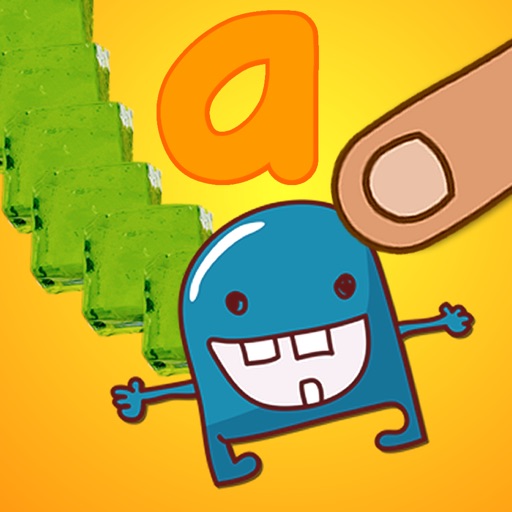
"My son loves Touch and Write - Fantastic app and the customising options are great!" - from parent review ***** "Love, love, love your app Touch and Write:)" - from parent review ***** "Touch and Write has moved to t...
$2.99
Evidence scope: No current overall US chart position is available. Category-chart positions shown in discovery are a separate scope. Revenue is a directional model estimate, not verified earnings.
A product spec, screen plans, and build steps for your coding agent.
First kit free with a verified email
Combine features and design from your favorite apps.
Your first Build Kit is free with a verified email.
Generating… usually about a minute.
What should your app do differently? Your note travels with the kit so your coding agent builds around your idea.
A product spec, phased build plan, differentiation notes, and screen references.
Illustrative example: an invoice app for independent contractors. Your kit is tailored to the app you choose; this is not its generated content.
Goal: Send a clear invoice after finishing a job.
Invoice editor: Client at the top, editable line items in the middle, total and preview action at the bottom.
States: Empty draft, validation errors beside each field, exporting, and a retry action that preserves the draft.
Hypothesis: Contractors need faster repeat invoices more than more templates.
First experiment: Test duplicating a previous job with five contractors. Watch where they hesitate before expanding the feature set.
The full kit adds a phased build plan, evidence notes, tool prompts, and implementation guidance. It is a plan for your coding agent, not a finished app.
Usage: Mechanics are fair game; never reuse the original name, branding, assets, or verbatim copy.
JavaScript is required to complete mailbox verification.
Good fit for mobile-first iOS and Android prototypes with managed app scaffolding.
Rork plan preview for Touch and Write: map the core Education workflow, choose the smallest differentiated feature set, define the data and monetization boundaries, then prototype the riskiest user journey first.
Preview ready. Verify your email to reveal and copy the full prompt.
JavaScript is required to complete mailbox verification. Return to this prompt preview.
Affiliate link: CloneChart may earn a commission at no extra cost
These are generated suggestions, not verified review quotations. Check current App Store reviews and speak with users before treating a possible gap as a requirement.
Hypothesis 1
Assumption to check: Expensive subscription
Validate with people who use this workflow before building.
Hypothesis 2
Assumption to check: Missing features
Validate with people who use this workflow before building.
Hypothesis 3
Assumption to check: Poor performance
Validate with people who use this workflow before building.
Original App Store material. Ratings and screenshots describe the existing app, not proof of demand for your version.
"My son loves Touch and Write - Fantastic app and the customising options are great!" - from parent review ***** "Love, love, love your app Touch and Write:)" - from parent review ***** "Touch and Write has moved to the top of my list for learning to write. It's extremely fun for my 4 year old with classic autism and the easiest app for me to customize!" - from parent review ***** "I would highly highly highly recommend this app" - WelcomeToTheirWorld app reviews ***** "I have recommended Touch and Write to all my colleagues and parents. I think it is fabulous! My students do not get frustrated and quit. They are able to focus for extended periods of time and I get to make my own target list. Thanks for this great app." - Speech Therapist in California ***** "I just wanted to tell you about my session with my student today using 'Touch and Write.' He is a kindergarten student... he resists writing and acts out to avoid it. Today I showed him the 'Touch and Write' program... he was totally attentive for 30 minutes, quickly learned to move between the different writing textures and understood the use of the 'little monster' to make the letter correctly." – Teacher ***** "The k and 1st grade kids are really engaged! One of them worked for 15 minutes - the most we have seen him do in weeks." - Teacher FizzBrain featured on CBS's "60 Minutes"! Kids love learning to write - especially when they can use shaving cream, paint, and jello! "Touch and Write" was developed by real classroom teachers, and recreates the fun and effective teaching strategy used in classrooms every day: learning letters by writing with shaving cream, jello, finger paint, and more! "Touch and Write" uses a letter style similar to those most commonly taught in schools, so it prepares children for a real classroom. "Touch and Write" also allows you to create your own lists of names and words so that you can individualize the learning experience for your child! And it comes with 6 of its own word lists, including the most important words for young children to learn – high frequency sight words! FEATURES: >>Toggle letter SOUNDS or letter names >>Database includes phonemes for 80,000 words and names >>Easy to make your own word lists! Children can practice writing their own names and individualized spelling lists. Parents and teachers can create as many word lists as they want. >>Integrates visual, kinesthetic and simulated tactile modalities to enhance learning – and fun! >>Created by elementary classroom teachers – based on best teaching practices! >>Comes with 16 different writing textures: shaving cream, ketchup, lime gelatin, chocolate frosting, chalk, pencil, blue pen, lemon gelatin, chocolate pudding, syrup, grape jelly, whipped cream, pumpkin pie, red paint, and vanilla pudding >>Comes with 28 different writing papers, including 4 different line patterns children are most likely to find in real classrooms, food papers, animal papers, nature papers, and more >>Includes 2 high frequency word lists to help children practice the most common words encountered by early learners >>Includes word family lists, such as the -AT family and -AN family >>Includes 2 alphabet word lists – short words from a to z – providing practice in both upper and lower case letters >>Includes 1 alphabet list – for just practicing the letters a to z, both upper and lower case >>Brief reward at the end of each word reinforces learning and motivates children, without becoming a distraction! Search YouTube for "Touch and Write App" to see how our other writing apps work, or locate the FizzBrainApps channel. Please contact us at [email protected] with any questions, problems, or suggestions. We will get right back to you – we listen to our customers! And if you have additional textures or papers you would like to see included in an update, let us know!
Written user reviews are not shown here. Check current App Store reviews >
Plan a focused first version with your coding agent. These are planning assumptions, not a delivery guarantee.
Choose one audience and one core workflow. Use the kit to agree on its screens, data, and acceptance criteria before building.
Decide which secondary features, integrations, and platform support can wait. Your version does not need to reproduce everything in the original.
Validate external services, specialist technology, data access, and ongoing costs for your chosen scope.
Not assessed in a Build Kit yet.
A reliable timeline needs an agreed scope and a technical check. Ask your agent to estimate the phases in BUILD_PLAN.md after that review.


