Feature spec
Goal: Send a clear invoice after finishing a job.
- Add a client, line items, a due date, and payment instructions.
- Preview the total before exporting a PDF.
- Keep an editable draft if export fails.
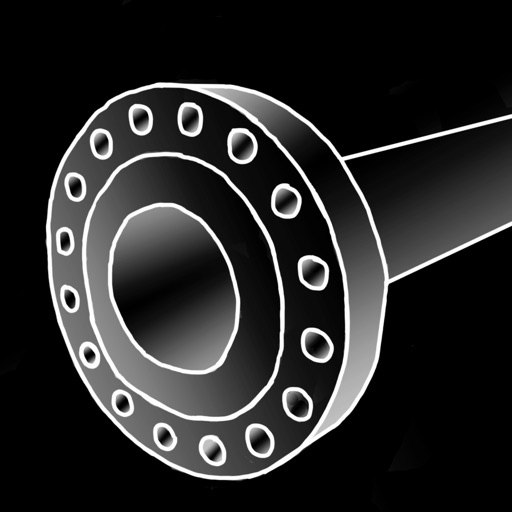
PipingAbacus is the most advanced and powerful mobile app for piping information; it is the modern Pipe Fitter's "Blue Book"
$9.99 · In-app purchases
Evidence scope: No current overall US chart position is available. Category-chart positions shown in discovery are a separate scope. Revenue is a directional model estimate, not verified earnings.
A product spec, screen plans, and build steps for your coding agent.
First kit free with a verified email
Combine features and design from your favorite apps.
Kit ready. Verify your email to download it.
Generating… usually about a minute.
What should your app do differently? Your note travels with the kit so your coding agent builds around your idea.
A product spec, phased build plan, differentiation notes, and screen references.
Illustrative example: an invoice app for independent contractors. Your kit is tailored to the app you choose; this is not its generated content.
Goal: Send a clear invoice after finishing a job.
Invoice editor: Client at the top, editable line items in the middle, total and preview action at the bottom.
States: Empty draft, validation errors beside each field, exporting, and a retry action that preserves the draft.
Hypothesis: Contractors need faster repeat invoices more than more templates.
First experiment: Test duplicating a previous job with five contractors. Watch where they hesitate before expanding the feature set.
The full kit adds a phased build plan, evidence notes, tool prompts, and implementation guidance. It is a plan for your coding agent, not a finished app.
Usage: Mechanics are fair game; never reuse the original name, branding, assets, or verbatim copy.
JavaScript is required to complete mailbox verification.
Good fit for mobile-first iOS and Android prototypes with managed app scaffolding.
Rork plan preview for Piping Abacus: map the core Utilities workflow, choose the smallest differentiated feature set, define the data and monetization boundaries, then prototype the riskiest user journey first.
Preview ready. Verify your email to reveal and copy the full prompt.
JavaScript is required to complete mailbox verification. Return to this prompt preview.
Affiliate link: CloneChart may earn a commission at no extra cost
Original App Store material. Ratings and screenshots describe the existing app, not proof of demand for your version.
PipingAbacus is the most advanced and powerful mobile app for piping information; it is the modern Pipe Fitter's "Blue Book". It is designed to be used by draftsman, designer, pipefitter (s), engineer, and construction personnel. Piping Abacus now supports iPhone 5. Piping Abacus is the modern Pipe Fitter's "Blue Book". Piping Abacus is a powerful piping reference database utility. Piping Abacus is unique; it is the only piping reference resource that incorporates a built in calculator to the reference data. The basic idea is: if you are referring to the data ( datum ), than you probably need to add it or subtract it. But it can also be used just as easily for a reference tool. PipingAbacus now has three interfaces (windows) to access the piping information - Catalog, Chart, and Wheels. It works the way you want it to work. For example, use the catalog if you want very detailed and specific information about a valve or fitting. If you are checking or adding takeouts, then use the easy and fast chart. Like to quickly browse pipe schedules, then use the wheel view. Use the right view to match your task. Accurate - All data was carefully entered upon entry. It was re-checked after the program was written. The program has been regularly used for over two years in the field by piping designers and construction personnel ( fitter fabrication ). Complete - All common Buttweld, SocketWeld, Threaded, welding, and Flanged Fittings and Valve (s) are presented in the "catalog" section of the app ANSI, ASME, etc. The user can easily add o'all lengths, weights, 1/2 OD's etc. Sizes include 1/8" through 60" (DIN and Imperial). Flange ratings 150 through 2500. Schedules: 10 - XXS. The menu system was designed to provide the user with graphical pipe fitting images that are large enough to provide details that are commonly found in manufacturer catalogs. All fitting properties are displayed in a scrolling table below the image with a clear description, value and a add/sub button. Versatile - Use the catalog section for detailed information. Use the chart or wheels for quick and easy reference. Output and input - imperial metric, fraction, decimals - you decide. Educational - What is the difference between a gate and a globe? What ASTM or ANSI does a particular fitting conform to? This information is now at your fingertips. Easy and intuitive - Uses common symbology. Useful - Other apps or programs simply present partial fitting dimensions to the user. PipingAbacus presents all catalog information. If a computation is required (how common it is to have add multiple fittings together)? The abacus part of the catalog adds fitting dimensions on the fly. But there's more versatility: units include: decimal, inch, ft-in input. You owe it to yourself: check out the you-tube videos through the web site. Compare our app against others. Their app may be good, but our app is BETTER! Go to our website www.jplanaux.com to learn more or search "PipingAbacus" at you-tube before you buy any other piping info app. PipingAbacus is easier to use, is regularly updated, has tons of information, is more versatile, and loads fast. Piping Abacus is a work in progress, and it keeps getting more xtreme through your comments and email contact. We are the best most advanced and powerful Piping Mobile iPhone App!" The best piping iPhone app keeps adding more information - for free. Most recent additional information includes: Orifice Flanges, Bolt Torque, Series A and Series B Flanges, wrench sizes for bolting, pipe spacing, malleable iron, and butt-weld valves and a "fitting chart" which includes built in calc buttons. Added tutorial links and email support link. Not quite sure that this is the right app for you? Visit our web site by clicking on the support link to find out more info about our app.
Written user reviews are not shown here. Check current App Store reviews >
These are generated suggestions, not verified review quotations. Check current App Store reviews and speak with users before treating a possible gap as a requirement.
Hypothesis 1
Assumption to check: Limited calculator options compared to competitors
Validate with people who use this workflow before building.
Hypothesis 2
Assumption to check: User interface is outdated
Validate with people who use this workflow before building.
Hypothesis 3
Assumption to check: No option to save results to cloud
Validate with people who use this workflow before building.
Hypothesis 4
Assumption to check: High initial purchase price
Validate with people who use this workflow before building.
Plan a focused first version with your coding agent. These are planning assumptions, not a delivery guarantee.
Choose one audience and one core workflow. Use the kit to agree on its screens, data, and acceptance criteria before building.
Decide which secondary features, integrations, and platform support can wait. Your version does not need to reproduce everything in the original.
Validate external services, specialist technology, data access, and ongoing costs for your chosen scope.
From the Build Kit assessment.
A reliable timeline needs an agreed scope and a technical check. Ask your agent to estimate the phases in BUILD_PLAN.md after that review.


