Feature spec
Goal: Send a clear invoice after finishing a job.
- Add a client, line items, a due date, and payment instructions.
- Preview the total before exporting a PDF.
- Keep an editable draft if export fails.
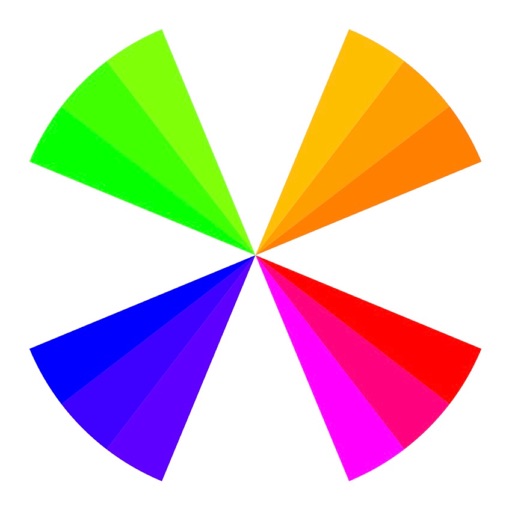
“Scheme Color” — the predecessor to “Coloring Studio” — is a resource you cannot ignore
$2.99 · In-app purchases
Evidence scope: No current overall US chart position is available. Category-chart positions shown in discovery are a separate scope. Revenue is a directional model estimate, not verified earnings.
A product spec, screen plans, and build steps for your coding agent.
First kit free with a verified email
Combine features and design from your favorite apps.
Kit ready. Verify your email to download it.
Generating… usually about a minute.
What should your app do differently? Your note travels with the kit so your coding agent builds around your idea.
A product spec, phased build plan, differentiation notes, and screen references.
Illustrative example: an invoice app for independent contractors. Your kit is tailored to the app you choose; this is not its generated content.
Goal: Send a clear invoice after finishing a job.
Invoice editor: Client at the top, editable line items in the middle, total and preview action at the bottom.
States: Empty draft, validation errors beside each field, exporting, and a retry action that preserves the draft.
Hypothesis: Contractors need faster repeat invoices more than more templates.
First experiment: Test duplicating a previous job with five contractors. Watch where they hesitate before expanding the feature set.
The full kit adds a phased build plan, evidence notes, tool prompts, and implementation guidance. It is a plan for your coding agent, not a finished app.
Usage: Mechanics are fair game; never reuse the original name, branding, assets, or verbatim copy.
JavaScript is required to complete mailbox verification.
Good fit for mobile-first iOS and Android prototypes with managed app scaffolding.
Rork plan preview for Scheme Color: map the core Graphics & Design workflow, choose the smallest differentiated feature set, define the data and monetization boundaries, then prototype the riskiest user journey first.
Preview ready. Verify your email to reveal and copy the full prompt.
JavaScript is required to complete mailbox verification. Return to this prompt preview.
Affiliate link: CloneChart may earn a commission at no extra cost
These are generated suggestions, not verified review quotations. Check current App Store reviews and speak with users before treating a possible gap as a requirement.
Hypothesis 1
Assumption to check: Limited color manipulation tools
Validate with people who use this workflow before building.
Hypothesis 2
Assumption to check: No community sharing features
Validate with people who use this workflow before building.
Hypothesis 3
Assumption to check: Paid features may deter users
Validate with people who use this workflow before building.
Hypothesis 4
Assumption to check: In-app purchases can be confusing
Validate with people who use this workflow before building.
Original App Store material. Ratings and screenshots describe the existing app, not proof of demand for your version.
“Scheme Color” — the predecessor to “Coloring Studio” — is a resource you cannot ignore. This App is a synthesis of the best practices of color theory that presents a one-of-a-kind collection of color schemes available for anyone to use. It was created as a guide to make it easy for users to control moods and aesthetics from a color stand point. It is powerful. It contains 80 carefully chosen schemes and gives you the ability to make the right choice of color combinations every time, for any occasion, without guesswork. It is based on the 24 section color wheel and presents an extensive assortment of moods and feelings. To be competitive, more than ever, the marketplace demands excellence and professionalism when it comes to color choices in creative work. Your competition has resources that gives them advantages in the marketplace and so should you. Get an edge in life, get “Scheme Color”. Color Schemes by Name and Mood ************* Yellow 01. Moving 02. Elegant 03. Affluent Gold 04. Likable 05. Refined 06. Nice Amber 07. Welcoming 08. Effective 09. Tasteful Gamboge 10. Affable 11. Amiable 12. Personable Orange 13. Friendly 14. Enticing 15. Heartfelt Tangelo 16. Charismatic 17. Pleasing 18. Agreeable ************* Professional 19. Professional 20. Professional ************* Vermilion 21. Vivacious 22. Lively 23. Earthly Scarlet 24. Passionate 25. Emotional 26. Intense Red 27. Powerful 28. Romantic 29. Rich Rose 30. Sweet 31. Girlish 32. Sensual Magenta 33. Energetic 34. Spirited 35. Zestful Mulberry 36. Reserved 37. Subdued 38. Tamed ************* Professional 39. Professional 40. Professional ************* Purple 41. Spectral 42. Mystical 43. Magical Violet 44. Charming 45. Endearing 46. Delightful Blue-Violet 47. Pleasant 48. Adorable 49. Regal Indigo 50. Distinguished 51. Classy 52. Prestigious Blue 53. Classic 54. Sublime 55. Dependable Azure 56. Pure 57. Angelical 58. Quintessential ************* Professional 59. Professional 60. Professional ************* Cyan 61. Refreshing 62. Tropical 63. Equatorial Spring-Green 64. Happy 65. Tender 66. Luscious Green 67. Fresh 68. Viridescent 69. Traditional Harlequin 70. Invigorating 71. Cool 72. Brisk Chartreuse 73. Rejuvenating 74. Uplifting 75. Healthful Lime-Green 76. Perky 77. Sober 78. Trendy ************* Professional 79. Professional 80. Professional *************
Written user reviews are not shown here. Check current App Store reviews >
Plan a focused first version with your coding agent. These are planning assumptions, not a delivery guarantee.
Choose one audience and one core workflow. Use the kit to agree on its screens, data, and acceptance criteria before building.
Decide which secondary features, integrations, and platform support can wait. Your version does not need to reproduce everything in the original.
Validate external services, specialist technology, data access, and ongoing costs for your chosen scope.
From the Build Kit assessment.
A reliable timeline needs an agreed scope and a technical check. Ask your agent to estimate the phases in BUILD_PLAN.md after that review.


