Feature spec
Goal: Send a clear invoice after finishing a job.
- Add a client, line items, a due date, and payment instructions.
- Preview the total before exporting a PDF.
- Keep an editable draft if export fails.
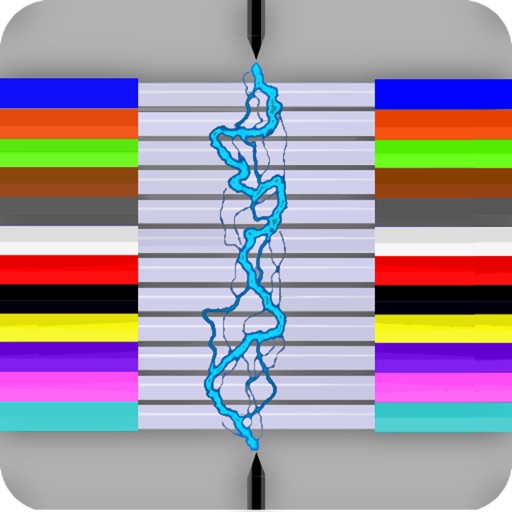
Fiber Optic Color Code is a searchable expanding chart of fiber strands that translates the color code of Loose Tube, Ribbon and other high count fiber optic cables.
$2.99 · In-app purchases
Evidence scope: No current overall US chart position is available. Category-chart positions shown in discovery are a separate scope. Revenue is a directional model estimate, not verified earnings.
A product spec, screen plans, and build steps for your coding agent.
First kit free with a verified email
Combine features and design from your favorite apps.
Kit ready. Verify your email to download it.
Generating… usually about a minute.
What should your app do differently? Your note travels with the kit so your coding agent builds around your idea.
A product spec, phased build plan, differentiation notes, and screen references.
Illustrative example: an invoice app for independent contractors. Your kit is tailored to the app you choose; this is not its generated content.
Goal: Send a clear invoice after finishing a job.
Invoice editor: Client at the top, editable line items in the middle, total and preview action at the bottom.
States: Empty draft, validation errors beside each field, exporting, and a retry action that preserves the draft.
Hypothesis: Contractors need faster repeat invoices more than more templates.
First experiment: Test duplicating a previous job with five contractors. Watch where they hesitate before expanding the feature set.
The full kit adds a phased build plan, evidence notes, tool prompts, and implementation guidance. It is a plan for your coding agent, not a finished app.
Usage: Mechanics are fair game; never reuse the original name, branding, assets, or verbatim copy.
JavaScript is required to complete mailbox verification.
Good fit for mobile-first iOS and Android prototypes with managed app scaffolding.
Rork plan preview for Fiber Optic Color Code: map the core Utilities workflow, choose the smallest differentiated feature set, define the data and monetization boundaries, then prototype the riskiest user journey first.
Preview ready. Verify your email to reveal and copy the full prompt.
JavaScript is required to complete mailbox verification. Return to this prompt preview.
Affiliate link: CloneChart may earn a commission at no extra cost
Original App Store material. Ratings and screenshots describe the existing app, not proof of demand for your version.
Fiber Optic Color Code is a searchable expanding chart of fiber strands that translates the color code of Loose Tube, Ribbon and other high count fiber optic cables. ~Feature highlights: customizable cables from 12F to 6912F, custom color codes, customizable fiber # searches, searchable cable count (with reverse cable count) and color code drill down. This app shall be used only as a handy secondary reference tool as we know there are mistakes made in the field and incorrect records that always need to be taken into account. Use of a tone source as a primary identifier will always be more accurate. Locate fibers with or without cable counts. Simply enter a strand # without a cable count or enter the 'Cable,Fiber' if you're using a complex cable count (app auto detects if there's a count or not). The app will then auto expand and place index pointers at your found fibers locations. ~To configure High Density cables (RILT#1-5 positions) to include Ribbon in loose tube, Spår/slotted core or yarn bundled cable : 1) Select the round cable type configuration button at the bottom right of the main screen. 2) Select any of the last 5 items in the list labeled as RILT#1-5. 3) Select the bottom left "More" tab. 4) Select "Set RILT" and configure RILT#1-5 maximum configuration of any combination (not to exceed 6912F): Super Tubes: 1-24max Ribbons: 1-144max Fibers: 1-48max ~Create customized color codes: 1) Select the bottom left "More" tab. 2) Then select 'Set Color Code' from the 'More Menu'. 3) Scroll down to the very bottom of the populated color code list and select 'Custom Setup'. 4) At the next screen that appears; click the 'Start here' button, then select a color code position you'd like to edit from the list. 5) Edit the list name. 6) Start with tube colors then edit super & fiber colors (starting with tube colors will pre-populate super and fiber colors) 7) Then click the green check button on the fibers screen after reviewing your selections to save. ~Input Cable Count screen While not necessary to use in the app. You can enter a full complex cable count that can be split into a cable type sub-unit configuration of your choice (2, 4, 6, 8, 12, 14, 16, 18, 24, 32, 36, 48, RILT #1-5). ~Smart Save Saving a cable count by a cable position turns the Search Button Icon and related cable count text box borders to a distinguishable color for keeping track of which cable cable is being currently used within the app. 1) Select the round Cable Type button 2) Enter cable count 3) Optionally select a position to save count to 4) Click the "Color Code" button Cable1 = Blue Cable2 = Orange Cable3 = Green Custom Start Fiber (Without a cable count) = Red Unsaved cable count or Start fiber is #1 = Gray Smart Save radio button color key: green = vacant black = existing count stored red = existing count to be overwritten blue = saved successfully To remove a previously saved cable count. Select the position to be deleted and long click the Clear button. ~Cable Count Input validation dot: Provides the user with a simple way to know if the cable count entered is valid for the color code chart. It will turn red if missing a cable name, missing a comma, the low fiber range is greater than the high fiber range, or the sum of the whole cable count is greater than the chosen cable type. ~Double Space Auto Punctuation: Easily enter a cable count using the apps built in double space auto-punctuation feature by: 1) Enter cable name followed by 2 spaces (app automatically places a comma) 2) Enter the low fiber followed by 2 spaces (app automatically places a dash) 3) Enter the high fiber followed by 2 spaces (app automatically drops down for next line of count)
Written user reviews are not shown here. Check current App Store reviews >
These are generated suggestions, not verified review quotations. Check current App Store reviews and speak with users before treating a possible gap as a requirement.
Hypothesis 1
Assumption to check: Limited color input options may confuse users.
Validate with people who use this workflow before building.
Hypothesis 2
Assumption to check: No export options for results.
Validate with people who use this workflow before building.
Hypothesis 3
Assumption to check: Lack of user guidance or tips.
Validate with people who use this workflow before building.
Hypothesis 4
Assumption to check: In-app purchase complexity.
Validate with people who use this workflow before building.
Plan a focused first version with your coding agent. These are planning assumptions, not a delivery guarantee.
Choose one audience and one core workflow. Use the kit to agree on its screens, data, and acceptance criteria before building.
Decide which secondary features, integrations, and platform support can wait. Your version does not need to reproduce everything in the original.
Validate external services, specialist technology, data access, and ongoing costs for your chosen scope.
From the Build Kit assessment.
A reliable timeline needs an agreed scope and a technical check. Ask your agent to estimate the phases in BUILD_PLAN.md after that review.


